Don't miss

Sunday, 14 July 2013

How to Install Blow to Unlock Lock in Android


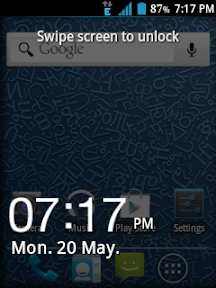
Micromax has recently launched Canvas 4 Micromax A210 which is one the best phone which Micromax have it is upgraded with many features like Multiwindows, scroll with eyes but there is one feature that it amazing and that feature is Blow/Shake to unlock . As I recently find some of the people making a thread for Unlock Blow Feature for Android phones except Canvas 4 . When I found it on google I made this guide in order to provide my users to apply this App . This app is trusted as well as perform by users , I have also installed on my device . But on some devices this app is not working well on some devices you need to blow as loud as a storm and on some other devices it doesn't display the screen just shows a white blank screen . From my point of view its successful percentage is 90% .  It will work in all devices- MDPI, HDPI and all screen size and in any processor. Now your question is that how to install it here in this guide I am providing with its installation too so don't worry you don't get stuck if this will happen then I am here to help you about this thread .

Download


How to install :-

1) Download the on your PC/ Phone file connect your phone via USB copy the App in your SD Card / Phone memory .

2) Click on the app install booster as you install your any other app .

3) It is highlighted with a big Lock Icon 

4) It will open the app homepage .

5) Click on the lock to apply Blow Air or Shake to Unlock app to your device .

6) Now switch off the phone screen for few minutes it will surely work .

( Note :- It may not visible but the app is in use if you blow and it doesn't unlock than blow more louder it will surely works . ) 

Wednesday, 10 July 2013

Custom Rom For Micromax A89 The Easiest Way To Install The Custom Roms


Today we are going to install the Newest Custom Rom For Micromax A89 .In this month more that 3 custom rom released for Micromax A89 like BackstreetMod Custom ROM For Micromax A89 , Xtreme Mod Custom Rom For Micromax A89 but none of them is perfect and not a single can be used for daily purpose . Every custom rom have some problems like the wifi not working, your phone gets heated very fast, not flashing of the camera through cwm. So we decided to make a new custom rom for micromax a89 which will be perfect for daily using and I am presenting the newest custom rom Axer 1.0 Rom for Micromax A89.


   Now we discuss some of the features of  micromax a89 that can be solved by this custom rom -:

Features of Axer 1.0 Custom Rom for Micromax A89


1.                  Base On Stock V2 ROM (Mmx Official Update)
2.                  Heating Problem Solved (almost)
3.                  Pre-Rooted
4.                  Deodexed
5.                  Awesome New Lock Screen
6.                  New Call Screen
7.                  Bravia Engine
8.                  Beats Audio
9.                  Increased 3g Net Speed (Surfing)
10.              Increased 2g Net speed
11.              Lots of Build. prop Tweaks (Finest Performance Ever)
12.              Best Init.d Tweaks added
13.              Ram Script Added (More free ram)
14.              v6 super chager script Added
15.              Thundervolt script Added
16.              Fast wifi scanning
17.              Nano Shell
18.              Bash Shell
19.              More Crips Sound
20.              xloud audio
21.              Battery tweaks added (best batter backup)
22.              New Tower
23.              New Battery icon
24.              Google D.N.S (Net Speed)
25.              Support EXT2SD
26.              Zip Aligned


I am going to tell you the easiest way of installing custom roms to your micromax A89 custom rom (AXER 1.0).

You should make a backup of your current stock rom before adding this custom rom to your phone. With this you will also be able to access your current custom roms.

*      How can you make back up of current rom stock -:


Below are the points to make back up of current rom recovery WITH CWM RECOVERY -:

  • Download the custom rom and place it in a SD card (please do not place it in a folder).
  • Boot your phone in recovery mode.
  • Then make a Wipe data / Factory reset.
  • Then wipe out the CACHE partition.
  • Then install the zip from the SD card.
  • Choose Zip From SD card > Select the Rom zip from  SD card.
  • Reboot your phone.


Note: - If the rom shows a error that update. zip verification failed then do this > go to > Install Zip From SDCARD > toggle signature verification. This may solve your problem and you will be able to install  this custom rom successfully.]

NOW I AM GOING TO TELL YOU HOW TO INSTALL THIS CUSTOM ROM TO YOUR PHONE WITH TWRP TOUCH RECOVERY-:

v     Download the custom rom and place it in a SD card (please do not place it in a folder).

v      Boot the phone into Recovery Mode
v      Clear cache present in your phone
v      Also, Clear dalvik cache
v      Clear all the data
v      Format your System
v      Clear .android file  Secure
v      Install the rom zip from SD card to your phone.
v      Reboot your phone


If you any have query or happy with the result please give your feedback through comments a\or by using Write For Us link. 

Note - Rooterzz is not responsible for any of the damage caused while rooting so please be careful while rooting your Smartphone.


Where's My Mickey Free Download [ apk ]


Priceless games on Rooterzz for android which games are paid on Google play we are providing it free of cost don't worry these all games are free of cost , these games are same as available on Google Play . No software contains virus . Talking about this game Where's My Micky is an awesome game having many likes by readers and the ratings of this game is also good as well . This game is having a ultimate mobile gaming experience . But still we cant compare with this application with any parts of Temple Run


Description :-

Having brand new weather machines to change the weather in the game wind , summer rain etc. Having a hole new look .  Featuring Mickey and Friends – Discover more hilarious episodes and new friends, beginning with Goofy! , new 5 episodes , Extra levels more than 20 big levels with great graphics for enjoying this gaming experience on large capacitive touch screen .

Screenshots :-


Download It :-

Download from the below link :-Download Where's My Mickey? XL 1.0.0 APK [Unlocked] Free Apk

Facebook Home Free Download


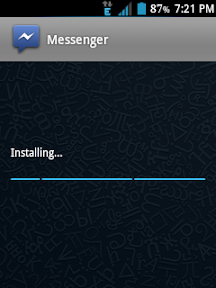
Facebook has recently launch Facebook Home application this is an awesome application but some of the phones can't enjoy , as this application doesn't available on every phone or any android series , it is available for few phones that are HTC One X, HTC One X+, Samsung Galaxy S3, Samsung Galaxy Note 2, Samsung Galaxy S4 only this much phones . But still it is a good application better than PC view . Upfront notifications and quick access to your essentials mean you'll never miss a moment. When you download Facebook Messenger, you can keep chatting with friends when you're using other apps. This app is paid on Google Play but we are providing it free of cost so download it .

Difference :-

1) It is having with improved feature , chat heads , graphics etc
2) Make the post review bolder and better from other android Apps .
3) Better news feed presentation .
4) Get all rights to access facebook as same as you use in your PC .

Screenshots :-


Download For Free :-

Download Free From The Below Link :-Download 

Tuesday, 9 July 2013

Get the latest Temple Run OZ Free Download for Android


Temple Run: OzIf you are curious to play Temple Run OZ in your android device and worried about the price present on Google Play then get tension free because here I am providing the free download of this version . As it is one of the best games of OS and liked by many users . For the users who are playing Temple Run as well as Temple Run 2 and expecting this gaming experience good then you are right because it is a very good game . I am providing you with its free version so don't wait install this application on your device . Some of the people think that there would be risk in downloading application accept Google Play then you are totally wrong here , clear this thought from your mind and install this application . As I heard that Google is launching a new version of android in which most of the things are free and this App is one of them . This popular App gain popularity because of it great graphics its features like jumping , scrolling down , moving right , moving left and tilting the phone with the help of gravity sensors . Here are the some features which will  show some differences between Temple Run 1 , 2 .

Temple Run: Oz l Version: 1.4.1 | Size: 28.72MB Developers: Disney | Language: English 

NEW FEATURES
• Stunning environments inspired by the film – explore them all.
• Fly in a hot air balloon – earn even more coins.
• Explore different locations in Oz – follow sign posts!
• The environment changes as you run – test your reflexes.
• Compete in weekly challenges – beat your friends!


Screenshots :- 

1) Temple Run: Oz

2) Temple Run: Oz

3) Temple Run: Oz

4) Temple Run: Oz

5) Temple Run: Oz

Video trailer of this game ( priceless on our site ) :-


Comment below for liking our post and to encourage us 

Thursday, 4 July 2013

LG Optimus One P500 Rooted Easily in simple steps


If your question is about how to root LG Optimus One P500 then your search is over here as always I am providing you the easiest rooting guide for rooting your smartphone . Rooting is essential for a good experience on your phone which will help you to fully customize your phone . But one thing should I want to make it to your notice that by rooting it would erase the warranty of your phone so make this thing in your mind and root your smartphone . Don't worry if you got anywhere stuck then I am here for you to help you . 
Most of the people compare IOS with android . I would like to tell from my experience if you buy any of the Apple phones then you would not be able to easily find Forums for Rooting , Custom Rom , Stock Recovery and much more and you don't have any other choices expect the default roms . But that are possible doing in android that is why I suggest most of the people to buy an android phone it doesn't matter that which android processor you are using with weather it is IceCream Sandwich , Ginger Bread , Cup Cake or any other because you have every rights to customize your phone with the help of  Rooting , Karnels , Custom Rom and much more . So enough of chit chat lets start with the rooting of LG Optimus One P500 .

         How to Root  LG Optimus One P500 

Before Rooting :-

1)  Make sure that your device battery is more than 80% charged if your phone gets off while the process of rooting it may brick .

2) ) Now you need to Enable USB Debugging on your device.  To do this process , go to Menu > Settings > Application > Developer Options and tick the USB Debugging checkbox.

3) Ensure that you have backup all your important data ..

Requirements :-

1)  LG Optimus One P500 

2) USB Drivers 

3)  Super Cool Tool Click :- here

4) Drivers Click :- here

The Unlock Root Tool


Steps To Root :-

1) First of all you need to install drivers on your phone if you don't have installed till now then install it from the link given on the top .

2) After the first download , download the Super Cool Tool from the above link .

3) Install that software to your computer .

4) By using the data cable connect you phone with PC / Laptop .

5) After that open the tool i.e The Unlock Root and it will definitely show your phones name . If it is not present their then unplug your device from data cable from the PC . If you find it again then try to restart your phone if the problem still persist then finally restart your PC I am sure that you will find .

6) Now you will surely see the name of your phone select the phone from the list .

7) After that click on Root .

8) It will start Rooting up your phone .

9) Then the application ask you to download any more application from my view select " No "  .

10) Your phone will ask you to reboot your phone click on yes finally click on " Yes " .

11) You have finally rooted your smartphone easiest way than provided by other sites .

Tutorial for the users who are still finding it difficult .


If you any have query or happy with the result please give your feedback through comments a\or by using Write For Us link . 

Note - Rooterzz is not responsible for any of the damage caused while rooting so please be carefull while rooting your smartphone .

Friday, 21 June 2013

Best Custom Rom For Galaxy Y


Today I am writing an awesome guide related to galaxy which makes your operating experience much and more better . Today I am launching with an awesome custom rom Hyperion 8 for your Galaxy Y which is one of the best phone of galaxy series and with this custom rom you can do the folowing things mentioned below . Don't worry I am also providing you all its specifications so that before installing you should know about the rom . And if your question is that how to install it then you need not have to worry about it because I am providing the process of installing this ROM too . So lets start with the installation of this awesome rom i.e Hyperion 8 .


Custom Rom For Galaxy Y Hyperion 8 

Specifications :-

1. De-Odexed
2. Zipaligned
3. Recompressed APKS
4. Optimized APK Images
5. Rooted
6. BusyBox and BusyBox run-parts support
7. Apps2SDenabled
8. 15 Toggle Notification Drawer
9. 6 Lockscreens from Gingerbread AOSP/CM with custom app starter and gesture unlock
10. Status bar Tweaks + TEAM battery bar
11. 4-way Reboot Options
12. Expanded Power Menu (because themers andmods crash systemUI most of the time, we need
other ways of rebooting)
13. No SMS Bug
14. No false Android version
15. No useless features
16. Least branding (Like creed parts or cod parts orwhatever. We don't like that. It's your phone,
not ours)
17. EXT4 File System Support
18. CIFS
19. Swap Support
20. BaCeM Tweak
21. UnderVolt Support
22. Firewall Support (DroidWall Open-Source Project)
23. Ad-blocking host file
24. Supercharged Hyperion Core v2 with AdrenalineEngine v4.4
25. Transparent JellyBean user interface
26. Ear-gasmic sound quality
27. Integrated Autostart manager, Firewall andNetwork Unlocker
28. Modular system structure
29. System Replacer


Screenshots :- 


Now your question is that how to install it on your device don't worry I am Providing you the method for your device through which you can install this on your phone .

Before Installation :-

1) Make sure that your phone is more than 80% charged because if your phone gets off while the process of rooting it may brick your smartphone.

2) Backup all your important data .


3)  Enable USB Debugging . To do this process , go to Menu > Settings > Applications > Developer Options and tick the USB Debugging checkbox .


Requirements :-

1) Note that your phone must be rooted before you install this rom to your phone .
2) CWM
3)  Rom

Steps To install :- 

1) Switch off your phone. Then you need to got to the CWM recovery and required to press Volume Up Button ( + ) . In the recovery mode use the volume keys to move up and down and the Power Key to select the highlighted item .

2) Go to install from sd and patch CWM by opening it!

3) Now you need to go to the Mounts & Storage and Mount everything . System, sd card, sd ext, data and all you needed .

4) After that go to  Advanced and clear battery stats and dalvic cache.

5) Then go back and select clear data , it will clear all amount of data stored in phone .

6) Then you need to go to install zip from sd > apply zip from sd card. Locate the rom zip file and select it! This will install the rom! 

7) Finally , go back to the main menu and select reboot option . The phone will take 10- 15 minutes to start because the phone is getting first time start after the installation of new rom so please don't panic be patient .

8) You have finally installed Hyperion Rom on your device i.e Galaxy Y .

If you have any query or happy with the response then please like us on facebook and ask your query on our Facebook Fan Page or by writing a comment below .

Rooterzz is not responsible for any of the damage cause with your smartphone while installation of Custom Roms .